The practical answer
Useful contractor website examples show how the visitor moves from understanding the work to making an inquiry. Review service clarity, real project evidence and the contact path together instead of choosing a design by appearance alone.
The examples below are real projects already published in Tech Turtle’s portfolio. This is our analysis of our own work, not an independent ranking of agencies or a promise of results. Each business has a different scope; a feature shown in a case study is not automatically included in every current website plan.
Download the contractor website review checklist and use it on your own site while you explore the examples.
T & A Contracting: let the completed work lead
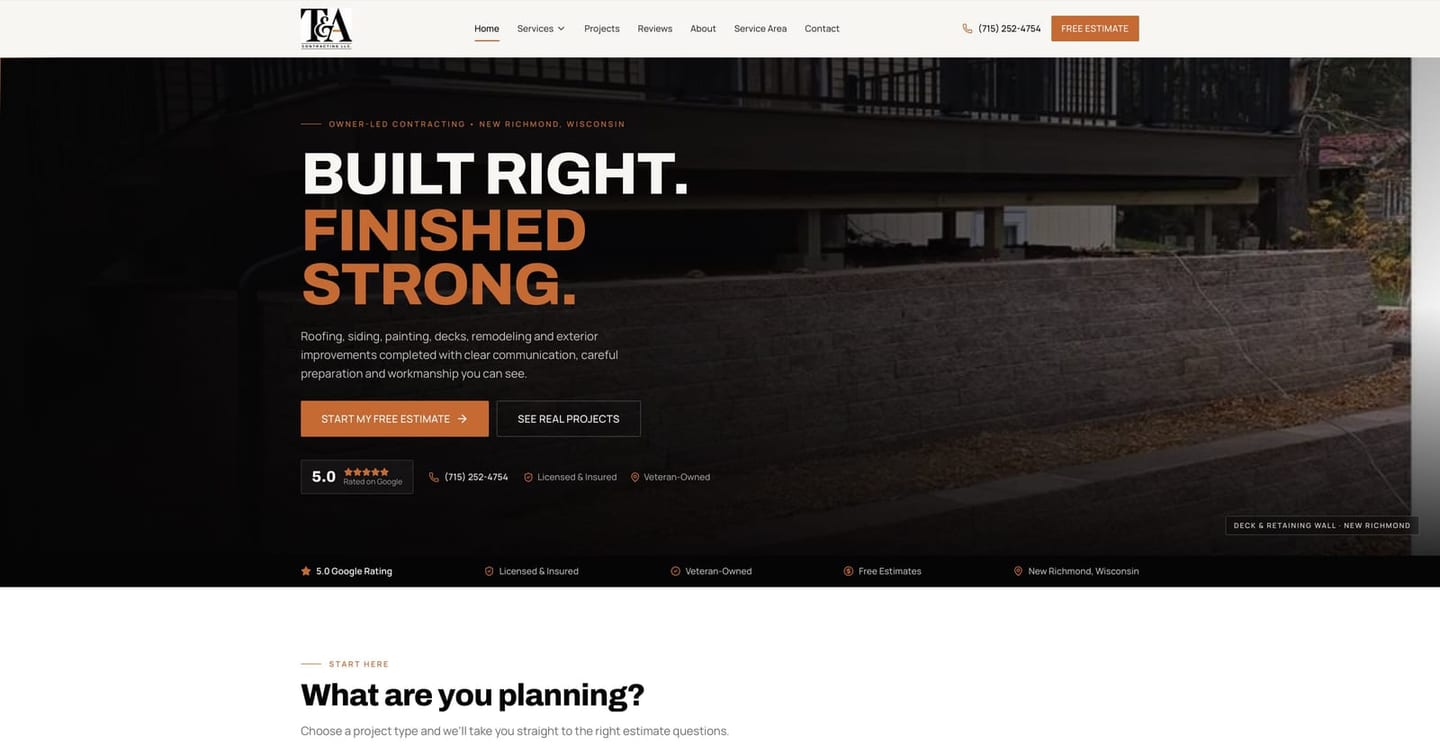
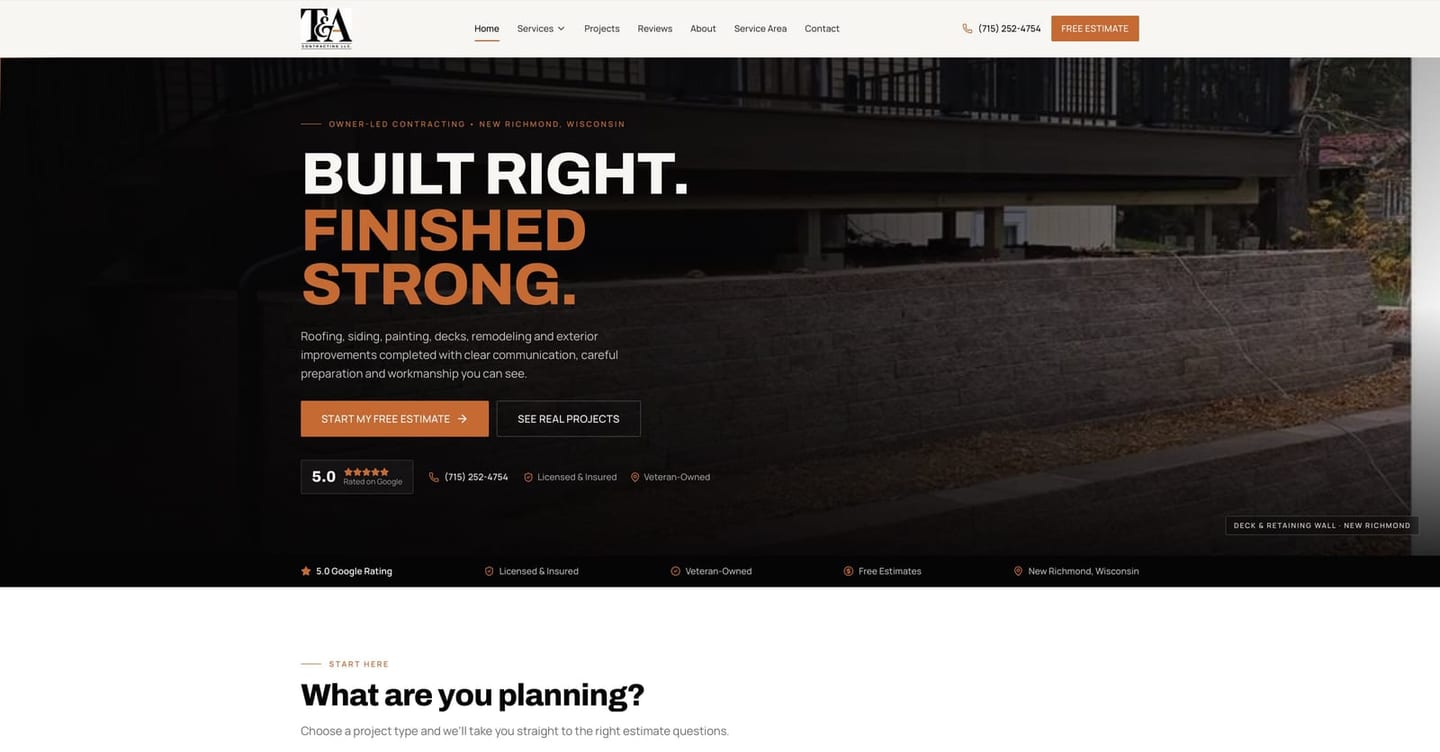
The T & A Contracting project presents an exterior-improvement business in New Richmond, Wisconsin. Its published case study emphasizes authentic project photography, clear service routes and a structured estimate request. Those elements help a visitor connect a type of job with a practical next step.
What to borrow: pair a project image with an explanation of the work and a relevant inquiry route. Do not make a visitor guess which service produced the result. On your own site, check that the estimate button remains easy to find after someone browses the gallery. Use only photos and customer feedback you have permission to publish.
JWD Painting: show the transformation and explain the service
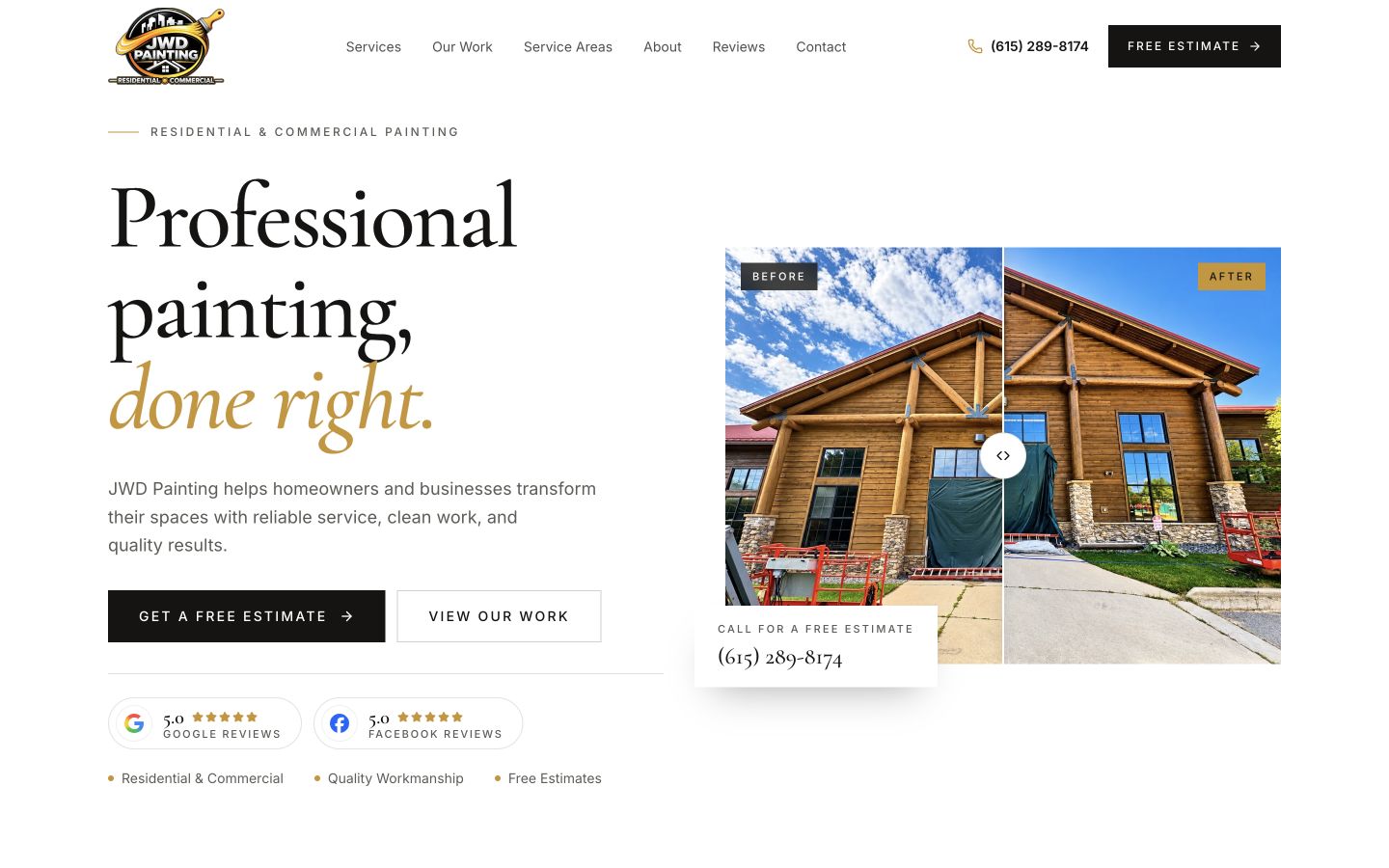
The JWD Painting project uses real painting work, before-and-after presentation and a project gallery alongside service information. The case study describes a free-estimate form that lets visitors identify the service and town relevant to the job. The useful lesson is the relationship between visual proof and the information needed to respond.
What to borrow: help the customer recognize a project similar to theirs, then ask a small number of meaningful questions. Interior and exterior work may require different context. A gallery should support the service explanation, not replace it. An image alone does not explain scope, access or whether your team takes that kind of work.
Mighty Earthworks: separate a bid request from a general inquiry
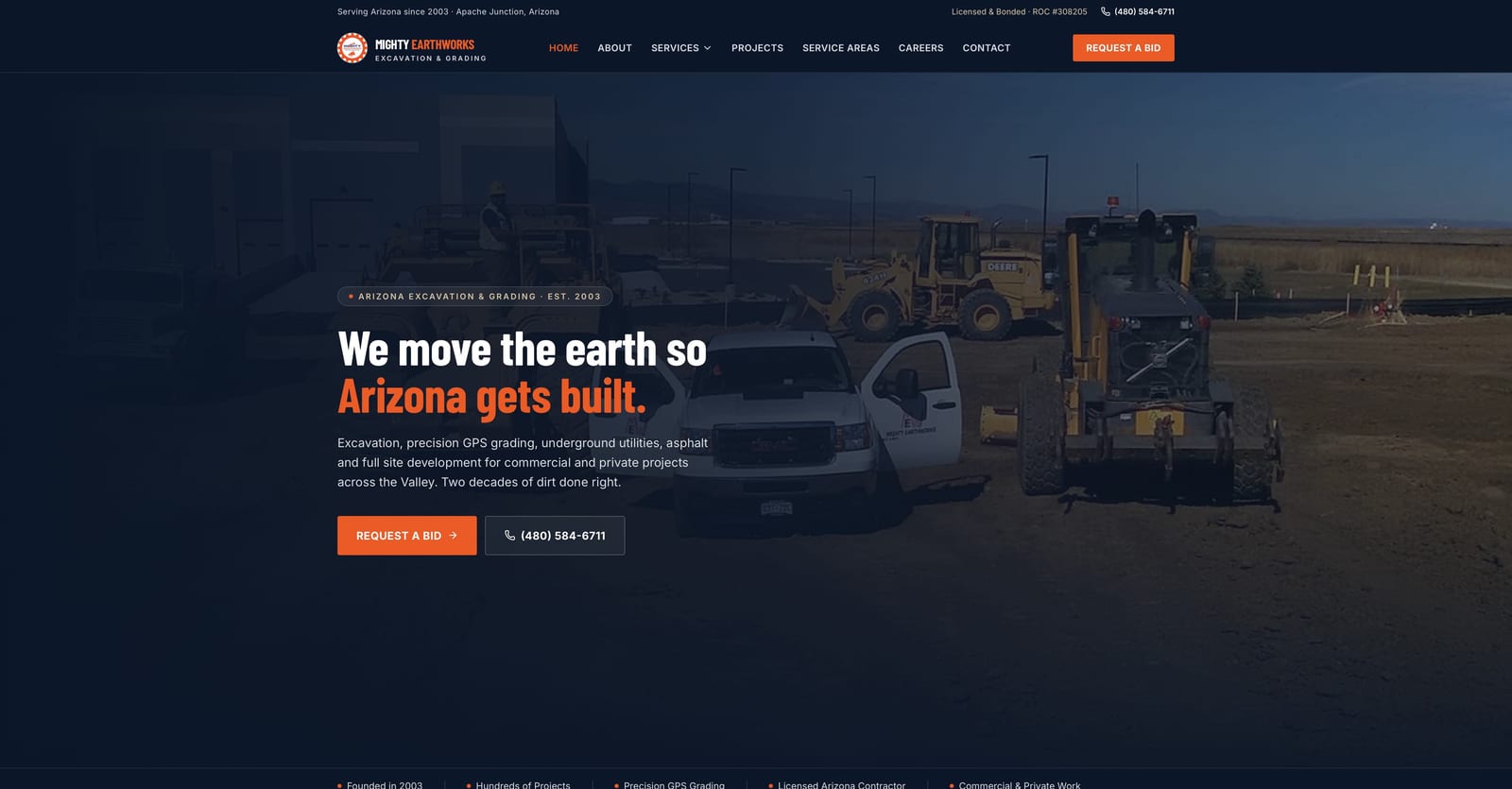
The Mighty Earthworks project is a civil-contractor example from Arizona. Its published case study describes organized service paths, real equipment and project imagery, a request-a-bid route and a separate careers experience. A commercial prospect and a job applicant have different tasks; the website gives them different paths.
What to borrow: name the customer action precisely. If you need project details to assess a bid, explain that process instead of using the same generic contact message for everything. Keep recruitment or supplier inquiries separate where appropriate so they do not get mixed into the customer estimate workflow.
Compare the customer paths
| Example | Published emphasis | Question for your site |
|---|---|---|
| T & A Contracting | Real project visuals and an estimate route | Can a customer connect the work shown to the right service? |
| JWD Painting | Transformations, service information and estimate context | Can a visitor describe the painting job without guessing technical details? |
| Mighty Earthworks | Civil-service structure and a bid-request path | Are customer, bid and careers tasks clearly separated? |
Review your own site on a phone
- Can someone identify your trade and actual service area quickly?
- Do project images show work you really completed or are authorized to present?
- Are service descriptions specific enough to decide whether to inquire?
- Can the visitor call or start an estimate without hunting through menus?
- Does the form explain what happens after submission?
- Can your team receive and act on the inquiry?
These checks do not guarantee a particular conversion rate. They make it easier to identify avoidable confusion. Test the entire path with an authorized, clearly labeled inquiry rather than assuming that a visible button proves delivery works.
Choose a scope that fits your business
Start with the services, evidence and inquiry process you need today. The contractor website offer starts at $29/month, while the full plan comparison explains the broader options. Discuss galleries, dashboards and custom workflows explicitly. For inquiries that have already reached the estimate stage, the estimate follow-up guide provides practical message templates.
Frequently asked questions
Yes. These are projects already published in Tech Turtle’s portfolio. The article links to their case studies and does not invent performance results.
No. Portfolio projects can have different scopes. Compare the current plan details and agree any custom requirements before ordering.
No. Use your own images or assets you have permission to use. The examples are for evaluating structure and customer paths.
Written by
Tech Turtle
Website planning resources
Practical website planning guidance from Tech Turtle, a Wausau, Wisconsin team serving small businesses across the United States.